
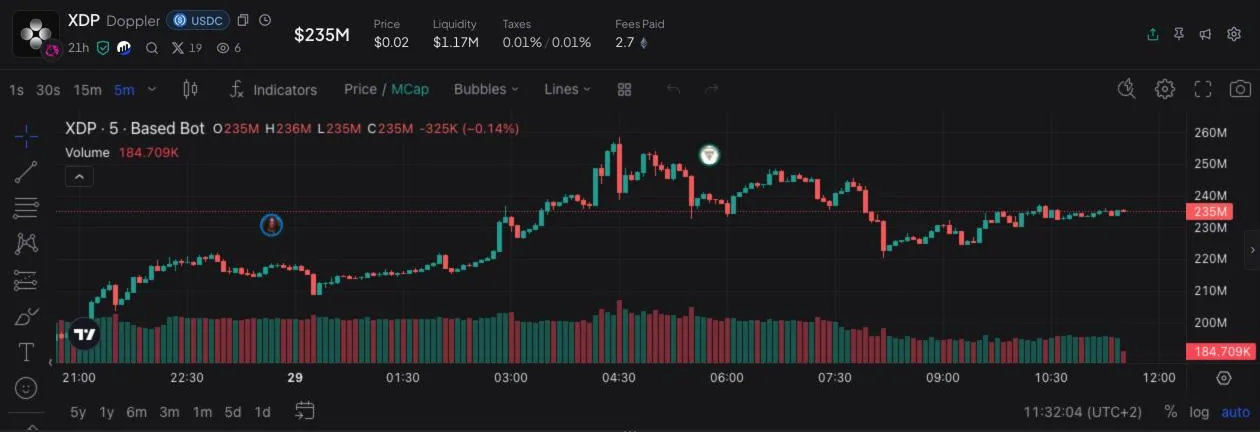
Chart and token header
Market cap, price, liquidity, buy and sell tax and fees paid sit above a TradingView chart. Candles go down to one second, with drawing tools, indicators and a price or market-cap view.
Web Terminal · Telegram Bot · 19 chains
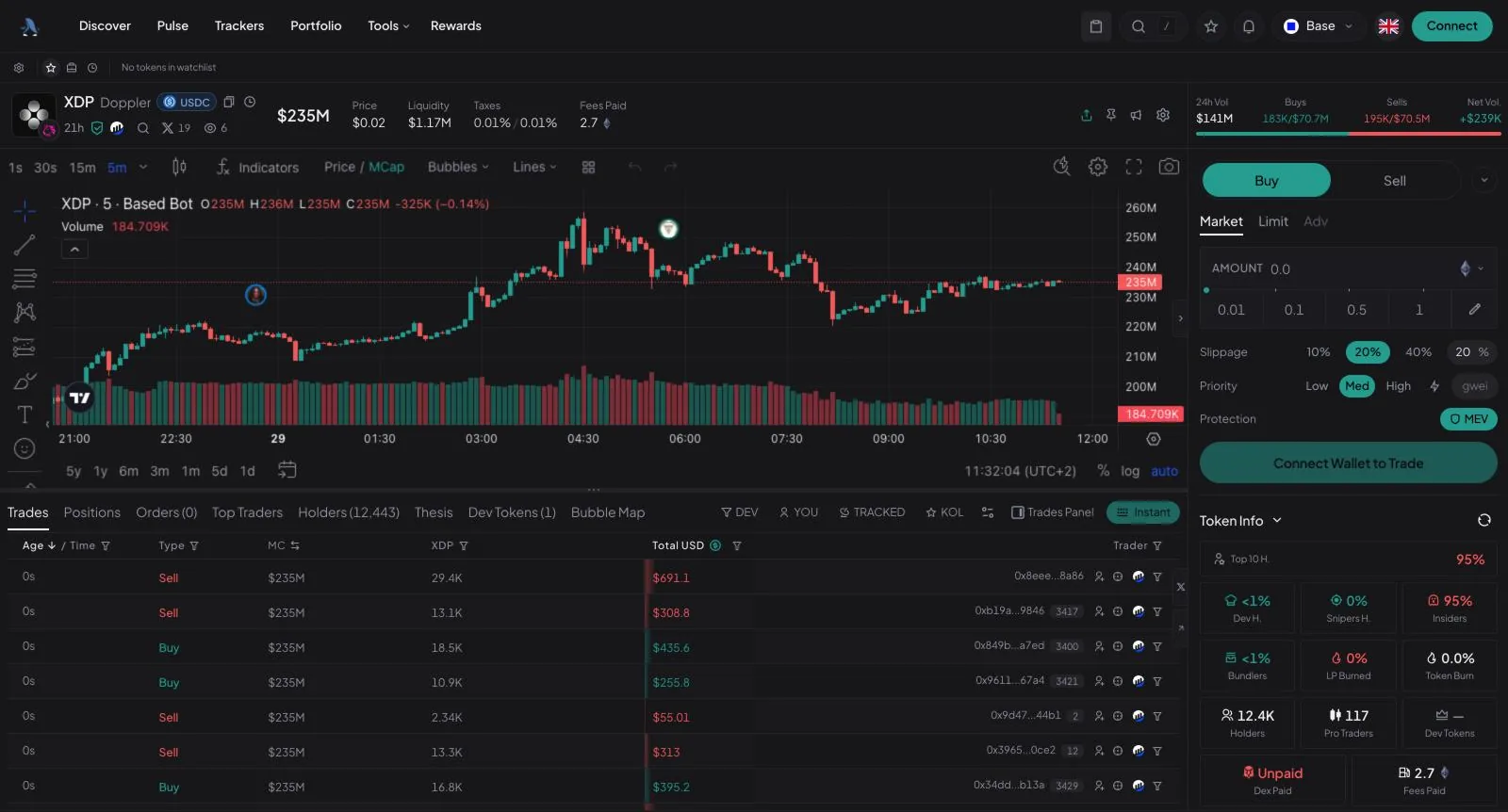
Discovery, charts, holder data and order entry share one browser workspace. The same account works in Telegram when you are away from the desk.
Independent site, not operated by BasedBot · Referral links: we may earn a commission · Never asks for a seed phrase
Inside the terminal
Every token page uses the same layout, so the numbers you check before buying are always where you left them.
Market cap, price, liquidity, buy and sell tax and fees paid sit above a TradingView chart. Candles go down to one second, with drawing tools, indicators and a price or market-cap view.
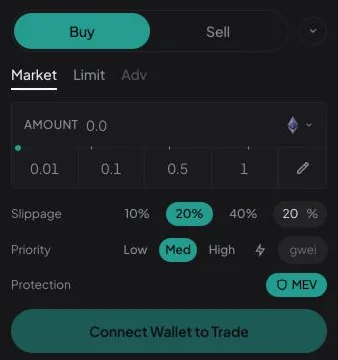
Choose Market, Limit or Advanced, tap a preset size, then set slippage, priority fee and MEV protection before you send the order.
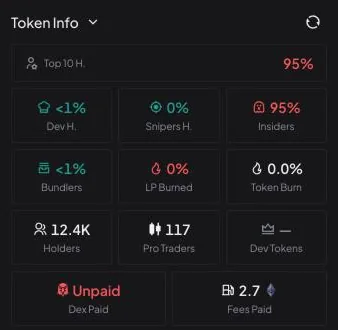
Top-10 share, developer, sniper, insider and bundler holdings, LP burned, holder count, pro traders and DEX-paid status, right next to the buy button.
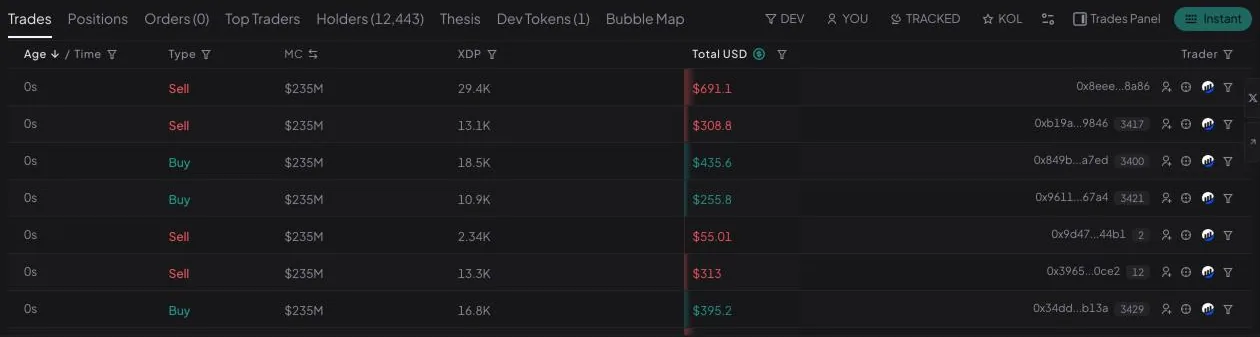
Tabs for trades, your positions and orders, top traders, holders, dev tokens and a bubble map. Filter the feed to the developer, your own fills, tracked wallets or KOLs.
Find the next token
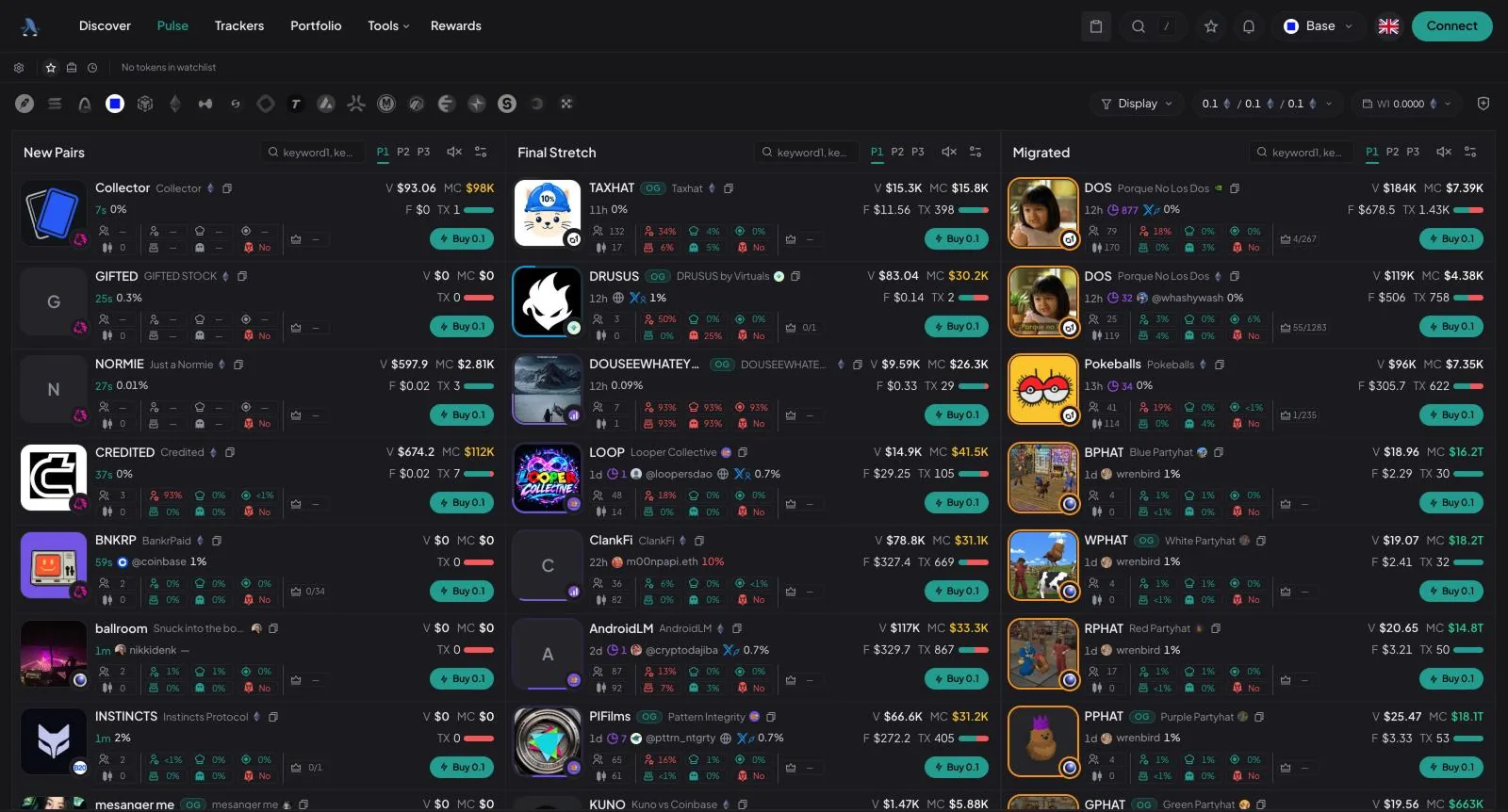
Pulse follows launches as they happen. Discover ranks what is already trading.
Three live columns — New Pairs, Final Stretch and Migrated — let you watch a token from its first minutes to its move onto a DEX. Each card shows age, volume, market cap, transactions, holder breakdown and a one-click buy at your preset size.
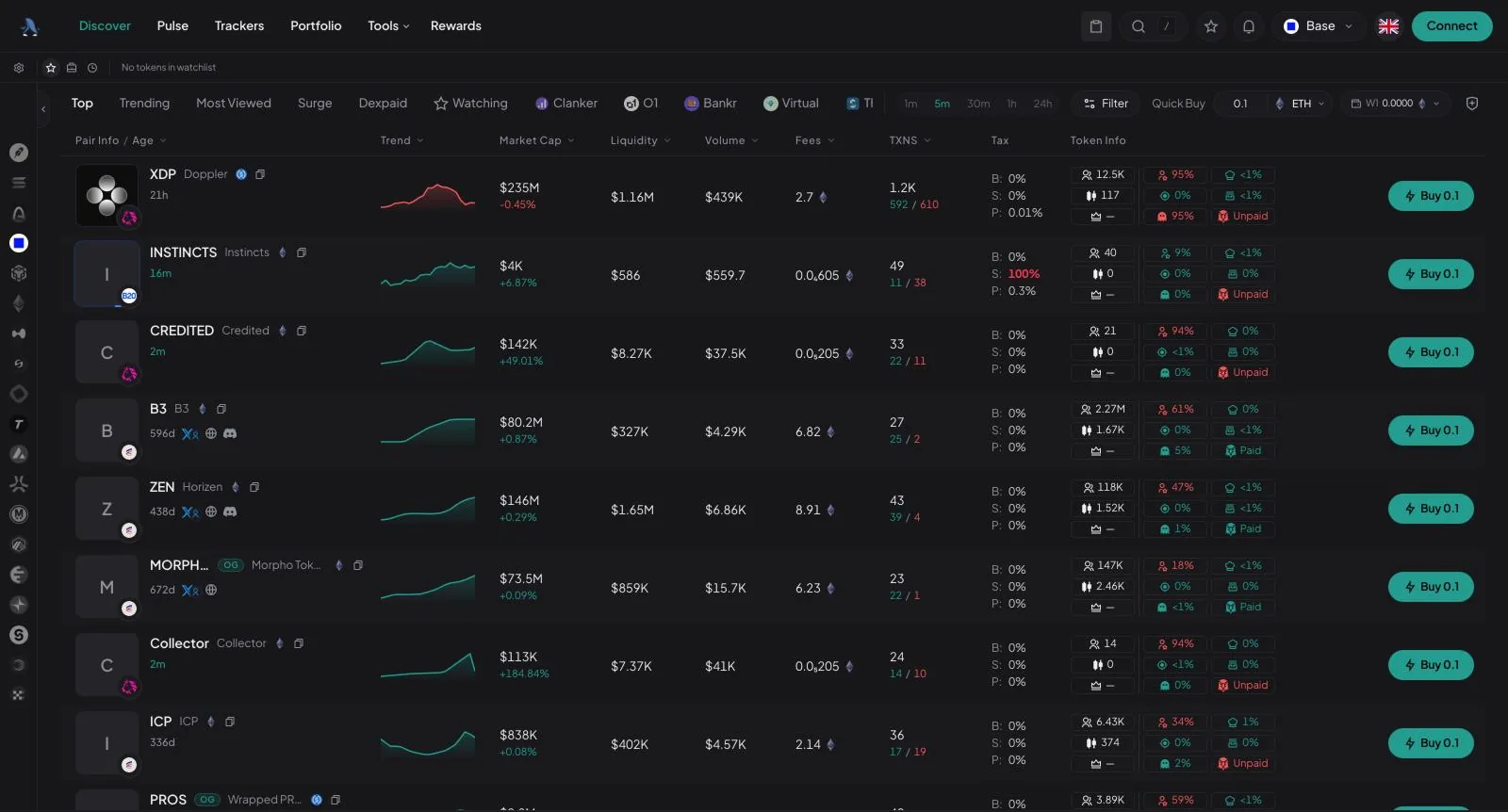
Switch between Top, Trending, Most Viewed, Surge and Dexpaid, or filter by launchpad. Rows show trend, market cap, liquidity, volume, fees, transactions, tax and holder data, with the timeframe from 1 minute to 24 hours.
Multi-chain
Pick a network in the chain rail and the tables, chart and order panel switch with it.
As listed in the web app on 29 September 2026. BasedBot adds networks over time.
Web or Telegram
The web terminal and the Telegram bot run on one account, so positions and balances follow you.
Desktop · full workspace
Discovery table, Pulse, chart, holders and order panel side by side. Made for long sessions and a second monitor.
Mobile · in the chat
Send a contract address to @based_eth_bot, read the token card and buy or sell with preset sizes without leaving Telegram.
Cashback
BasedBot’s rewards program returns a share of trading fees to eligible accounts as cashback. It builds up per chain, and you claim it from the Rewards page. Rate and eligibility are set by BasedBot.
Our links use referral code BASEDCASH25.
Eligible trades add to your cashback balance. BasedBot sets the rate and eligibility, so check Rewards for yours.
The Rewards page shows your balance on each network and your current rate.
Claim available rewards into your BasedBot wallet on that chain.
Get started
Use a button on this page to reach basedbot.app. Discover, Pulse and token charts are visible before you sign in.
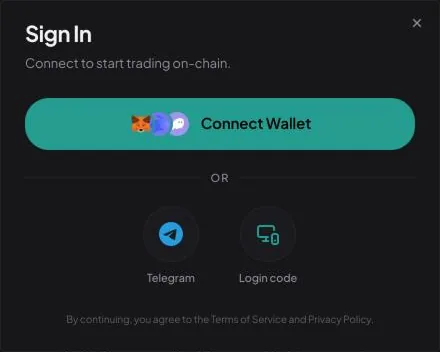
Pick Connect Wallet, Telegram or a login code. Approve only requests that appear on basedbot.app itself.
Select a network, open a token and set size, slippage and priority in the order panel.
Safe by design
Buttons lead to basedbot.app or t.me/based_eth_bot. Nowhere else.
This site has no input for a private key, recovery phrase or password. Anyone asking you for one is not BasedBot.
Nothing on this site asks your wallet to connect, sign or approve. The product images are screenshots.
Product buttons carry referral code BASEDCASH25 and we may earn a commission. This site is independent of BasedBot.
FAQ
Checked against the live app on .
BasedBot (also written Based Bot) is a multi-chain platform for trading on-chain tokens. The app at basedbot.app is its web terminal: token discovery, Pulse, charts, holder data, trackers and a portfolio view. A Telegram bot, @based_eth_bot, works on the same account.
No. The web terminal runs in the browser at basedbot.app on desktop and on mobile. On Telegram you open @based_eth_bot and start the bot.
Use the web terminal for research and longer sessions, because the table, chart, holder data and order panel share one screen. Use the Telegram bot when you are on your phone and already know the contract you want. Wallets are shared, so you can switch at any time.
On 29 September 2026 the chain rail in the web app listed 19 networks: Abstract, Arbitrum, Arc, Avalanche, Base, BNB Chain, Ethereum, HyperEVM, Ink, MegaETH, Monad, Plasma, Robinhood, Solana, Stable, Story, Tempo, UniChain and X Layer.
BasedBot’s rewards program returns a share of trading fees to eligible accounts as cashback. It builds up per chain, the Rewards page in the app shows your balances and current rate, and you claim it to your BasedBot wallet. BasedBot sets the rate and eligibility and can change them.
Never. This site has no login and no wallet connection. It only links to basedbot.app and to the @based_eth_bot Telegram bot. Anyone asking for a seed phrase or private key is not BasedBot.
Yes. The web terminal and Telegram buttons use referral code BASEDCASH25, and this independent site may earn a commission. It is not operated by BasedBot.
New pairs, holder checks and fast orders on 19 chains.